How to Play ArrowRun: Zen: Beginner’s Guide
Clear the board by sending arrows out along open paths. This guide walks through your first moves in ArrowRun: Zen on iPhone and iPad, using actual game screens.
Real game captures. Your level and unlock progress may differ.
Read the arrowhead
Each arrow moves in the direction its head points. Follow the straight exit path from the head to the edge of the board. Another arrow in that lane blocks the move, even when the line behind the arrowhead bends.
Find your first clear path
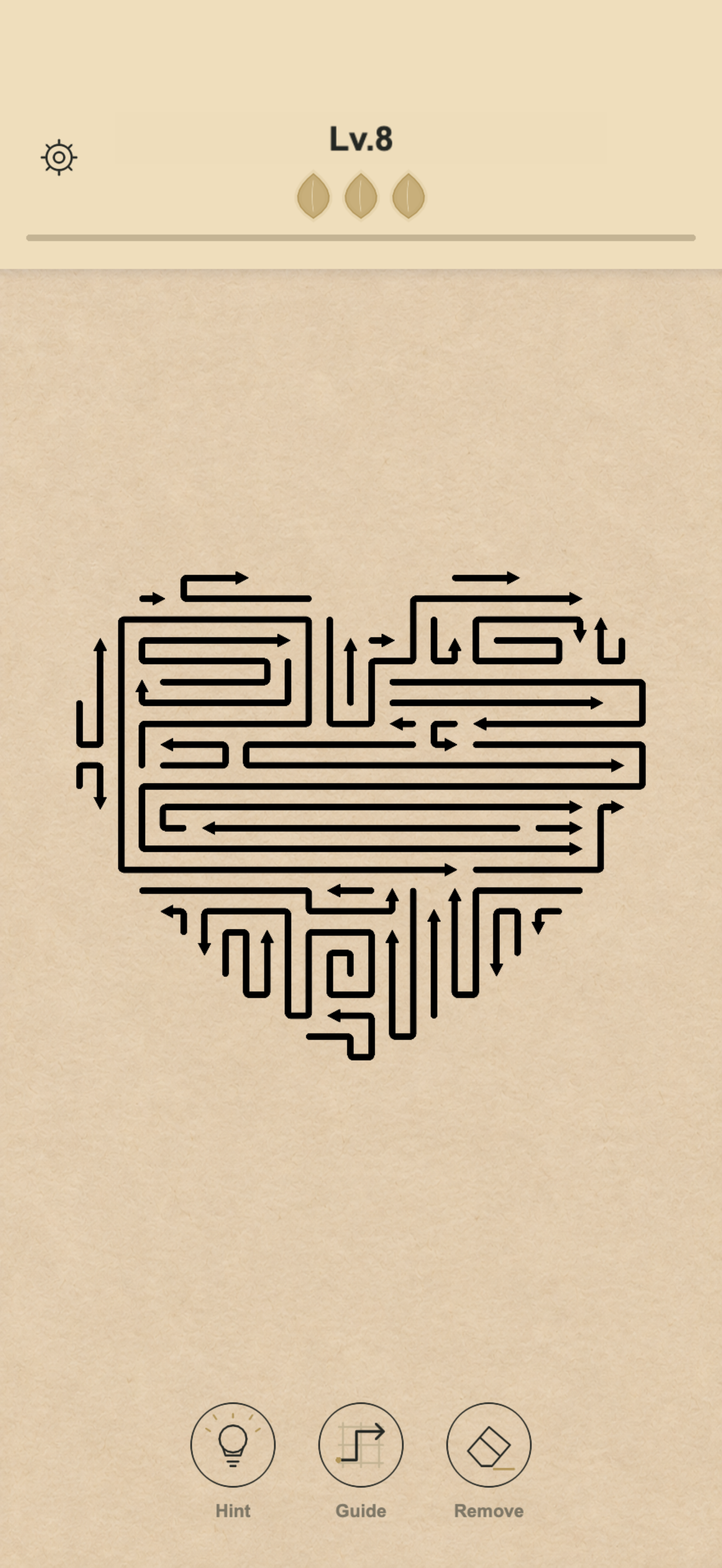
In the level 8 screenshot, look for the short horizontal arrow near the upper-right edge of the heart. Its head points right and the lane to its right is empty: it is a clear-path candidate. Scan the outside of the shape for similar arrows before working inward.
Remove one arrow, then look again
Tap an arrow with a clear exit. Removing it may open a route for others, so check the board again after each move. Keep going until no arrows remain. If an arrow is blocked, leave it and look for the arrow crossing its exit lane; repeated taps do not clear the obstacle.
A worked example: C → B → A
Rule illustration drawn from level 8 data, not a screenshot or a complete level solution. Letters are guide labels; layouts may differ by version.
1. Before any move
A is blocked by B. B is blocked by C. C has a clear exit to the right. Tapping A now will not clear it.
2. Remove C
Tap C first. Its removal opens the exit lane in front of B. A is still blocked by B.
3. Remove B
Now B can leave to the right. The space it occupied no longer blocks A.
4. Remove A
A can now leave. These three arrows are gone; the other arrows still need their own clear exits.
Drag, zoom and use a hint
Drag to move around a large board. Pinch with two fingers to zoom in or out so you can distinguish closely spaced arrowheads. If you cannot find a move, try the Hint tool shown below the board. Read the tool’s in-game prompt before confirming.
Build a careful habit
Before tapping, trace the exit lane rather than only the arrow’s body. Scan the edge again after every removal. Careful play also helps with achievements: some require clears without blocked-arrow taps or tools. You can explore skins as you progress.
QUICK ANSWERS
Do I swipe an arrow to remove it?
Tap an arrow with a free exit lane. Dragging moves your view of the board; a two-finger pinch changes the zoom.
Why does an arrow refuse to leave?
Check for another arrow across the straight exit lane in front of its head. Remove the blocking arrow first, then look at the route again.